Scan View
The second view of the document reader flow is the scan view, it's the camera screen that detects the document and reads it's data through OCR method. This screen belongs to Regula and it does not allow us to change, only some small customization is possible.
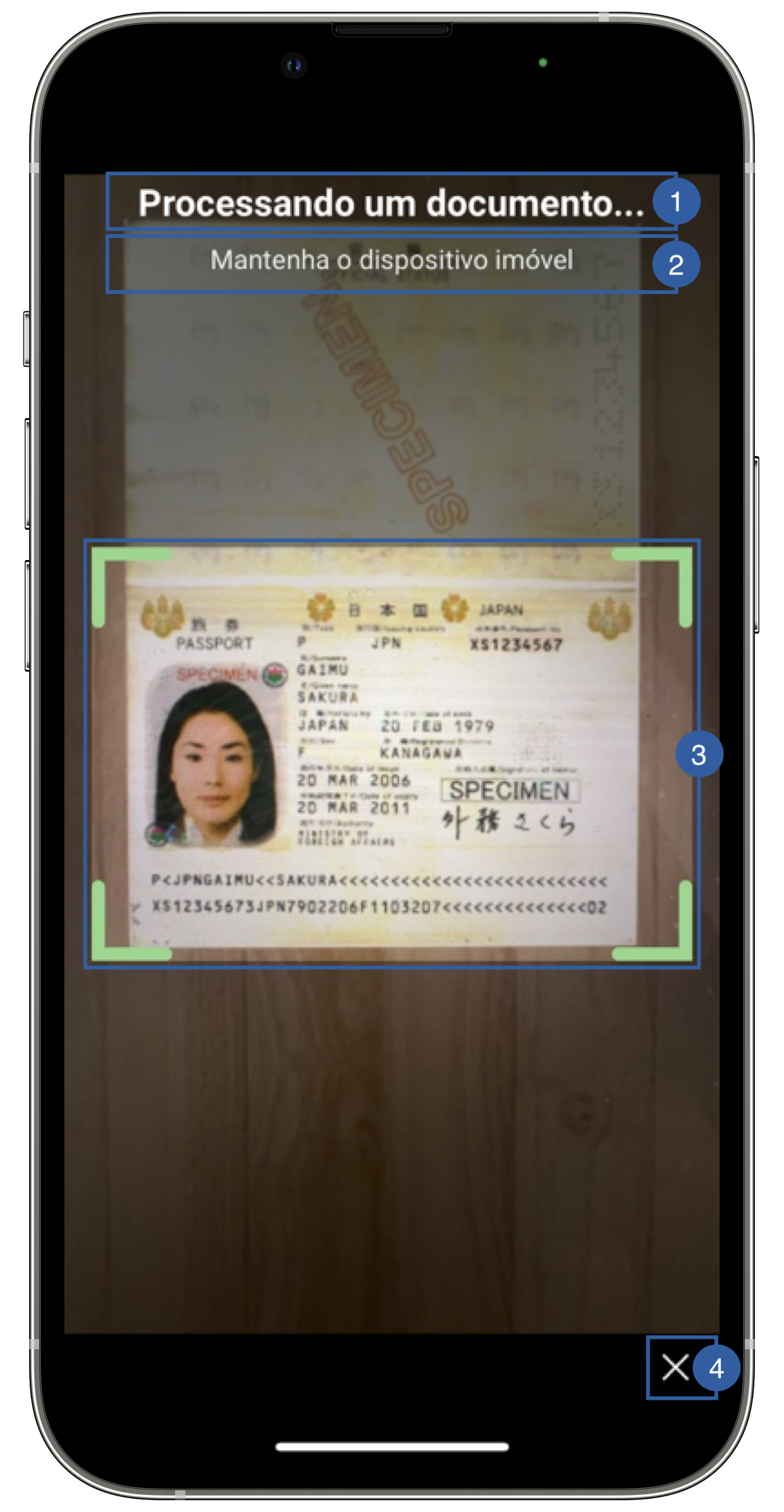
It contains a title(1), a message(2), a frame(3) and a cancel button (4) that can be customized.
Branding
You can apply your own branding to our screens by overriding the resources we use.
Colors
This is not customizable in Android yet
You can change the frame color by overriding the following color in Theme class (It other screens in the app):
// Default state
Theme.shared.colors.common.black
// Valid state
Theme.shared.colors.faceCapture.stateValid
Styles
This is not customizable in Android yet
You can change the font through the theme class (this will affect all text in the app):
Theme.shared.fonts.bold
Theme.shared.fonts.regular