Scan View
The second view of the document reader flow is the scan view, it's the camera screen that detects the document and reads it's data through OCR method. This screen belongs to the document scan provider, so only the customization that provider exposes is possible.
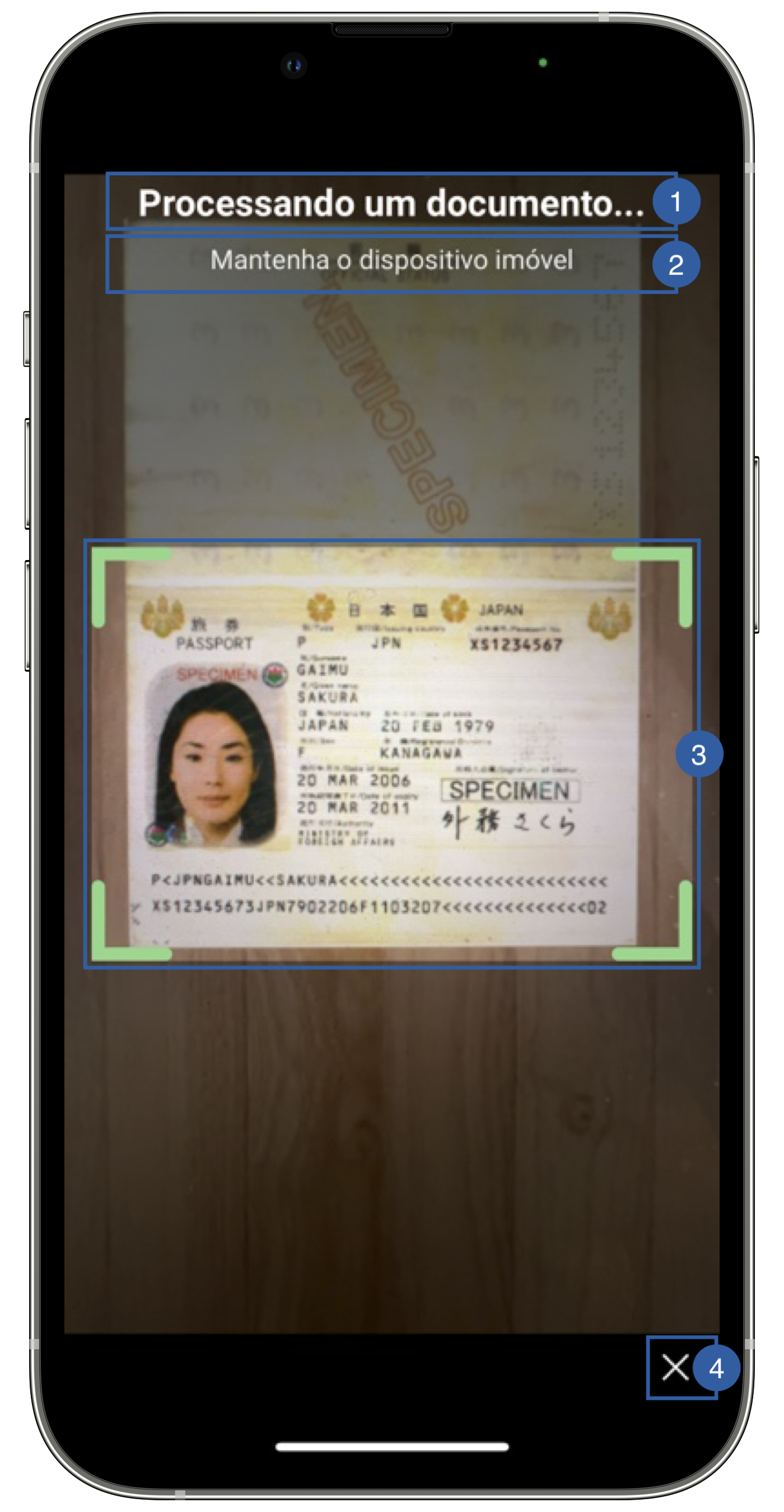
It contains a title(1), a message(2), a frame(3) and a cancel button (4) that can be customized.
Branding
You can apply your own branding to our screens by overriding the resources we use.
Colors
This is not customizable in Android yet
The SDK's Theme does not apply to this screen, because the scan provider draws it.
With the AMADocScanMrziOS provider, set the colors on its ScannerTheme before starting the scan. Any property left nil keeps the provider's default:
import AMADocScanMrziOS

// Frame
ScannerTheme.shared.colors.frameDefault
ScannerTheme.shared.colors.frameSuccess
ScannerTheme.shared.colors.frameError
// Screen, overlay and instructions
ScannerTheme.shared.colors.background
ScannerTheme.shared.colors.overlayColor
ScannerTheme.shared.colors.overlayOpacity
ScannerTheme.shared.colors.instructionText
ScannerTheme.shared.colors.tooltipText
ScannerTheme.shared.colors.tooltipBackground
ScannerTheme.shared.colors.tooltipBackgroundOpacity
// Navigation bar and buttons
ScannerTheme.shared.colors.navigationTitle
ScannerTheme.shared.colors.navigationCloseButton
ScannerTheme.shared.colors.navigationBackground
ScannerTheme.shared.colors.primaryButtonBackground
ScannerTheme.shared.colors.helpButtonText
ScannerTheme.shared.colors.helpButtonBackground
With the AMADocScanRegulaiOS provider, use that provider's own Theme:
import AMADocScanRegulaiOS

// Default state
AMADocScanRegulaiOS.Theme.shared.colors.cameraFrameDefaultColor
// Valid state
AMADocScanRegulaiOS.Theme.shared.colors.cameraFrameActiveColor
Styles
This is not customizable in Android yet
With the AMADocScanMrziOS provider, set the fonts on its ScannerTheme. Any property left nil keeps the provider's default:
ScannerTheme.shared.fonts.navigationTitle
ScannerTheme.shared.fonts.instructionText
ScannerTheme.shared.fonts.tooltipText
ScannerTheme.shared.fonts.tipsTitle
ScannerTheme.shared.fonts.tipsMessage